Download & open
Install the free app on your Mac or PC — a compact download with no bundled extras. The drop zone is ready the moment it opens.
Built for photographers, designers and print shops who refuse to trade away detail. Convert HEIC to maximum-quality JPEG, lossless PNG or print-ready PDF while Display P3 color and every EXIF field stay exactly as the camera recorded them. Free, offline, no recompression artifacts.
From drop zone to color-accurate files in under a minute — no account, no cloud, and nothing about the picture quietly changed.
Install the free app on your Mac or PC — a compact download with no bundled extras. The drop zone is ready the moment it opens.
Add single photos or full shoots, then pick JPG, PNG or PDF and dial in JPEG quality, the target color profile and EXIF handling.
Click Convert. Color-faithful copies are written beside the originals or to a folder you choose, ready to retouch, print or hand off.
Six tools in one small app — convert photos and video, govern color and quality, and protect the data professionals depend on.
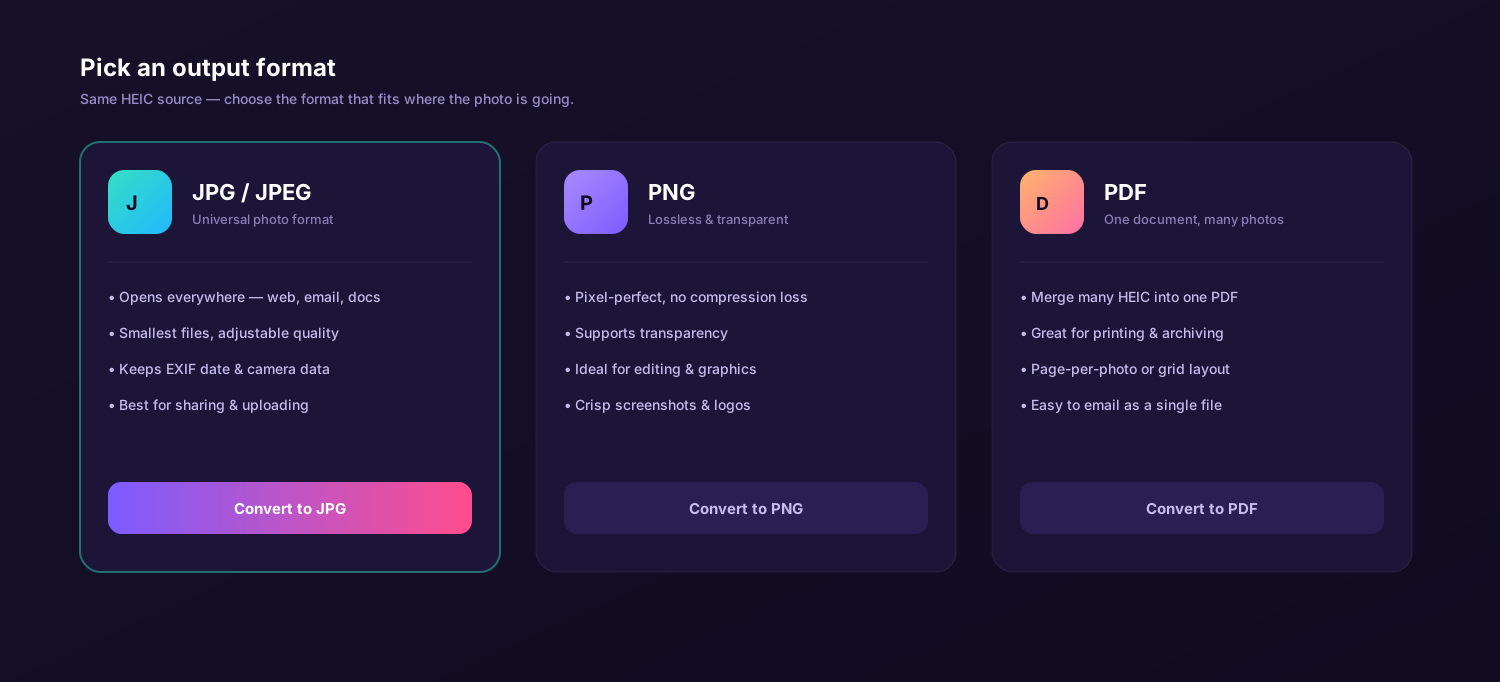
Decode each HEIC once and write the output directly — no second pass of lossy compression. Export lossless PNG for retouching, JPEG at full quality for delivery, or a print-ready PDF that keeps every photo at its native resolution. One drag covers all three.
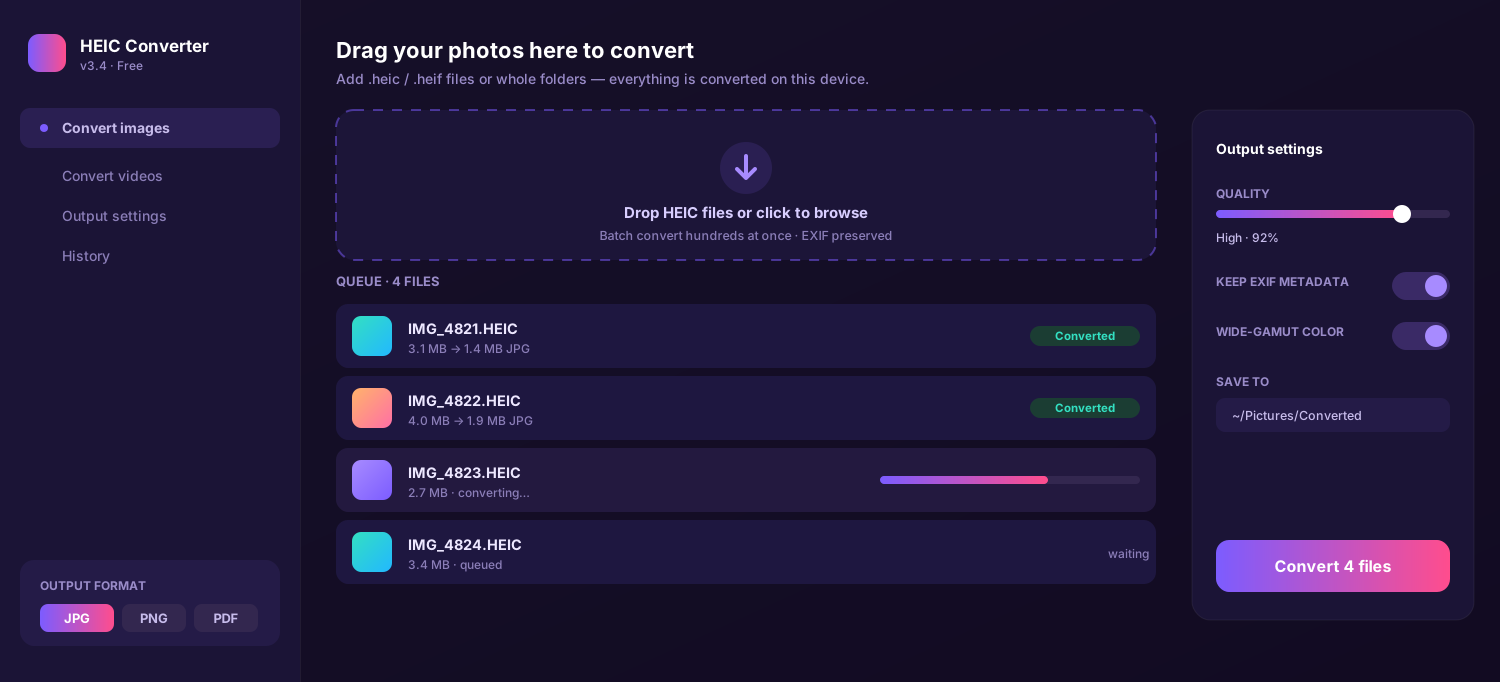
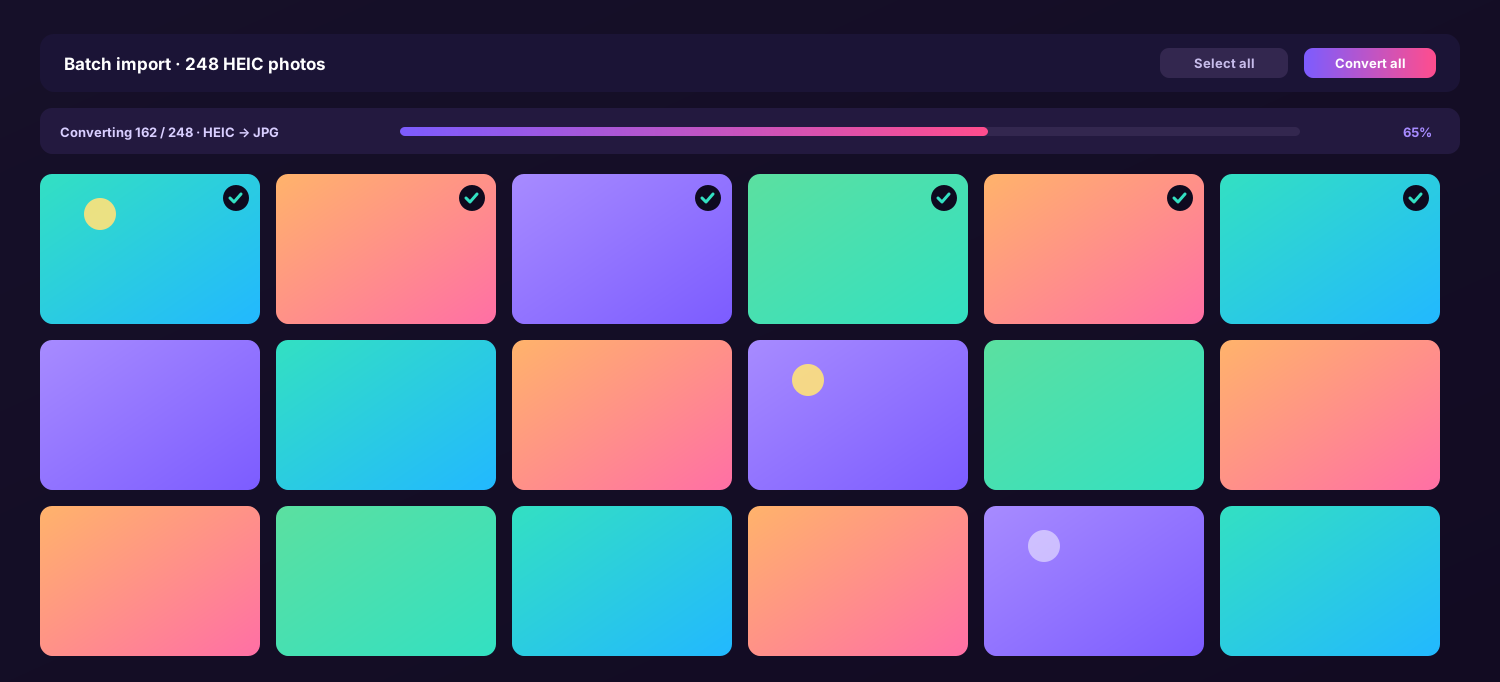
Drop entire folders and convert hundreds of frames in one run with identical, consistent settings.
Reads the embedded ICC profile and carries Display P3 wide-gamut color through — or converts cleanly to sRGB on request.
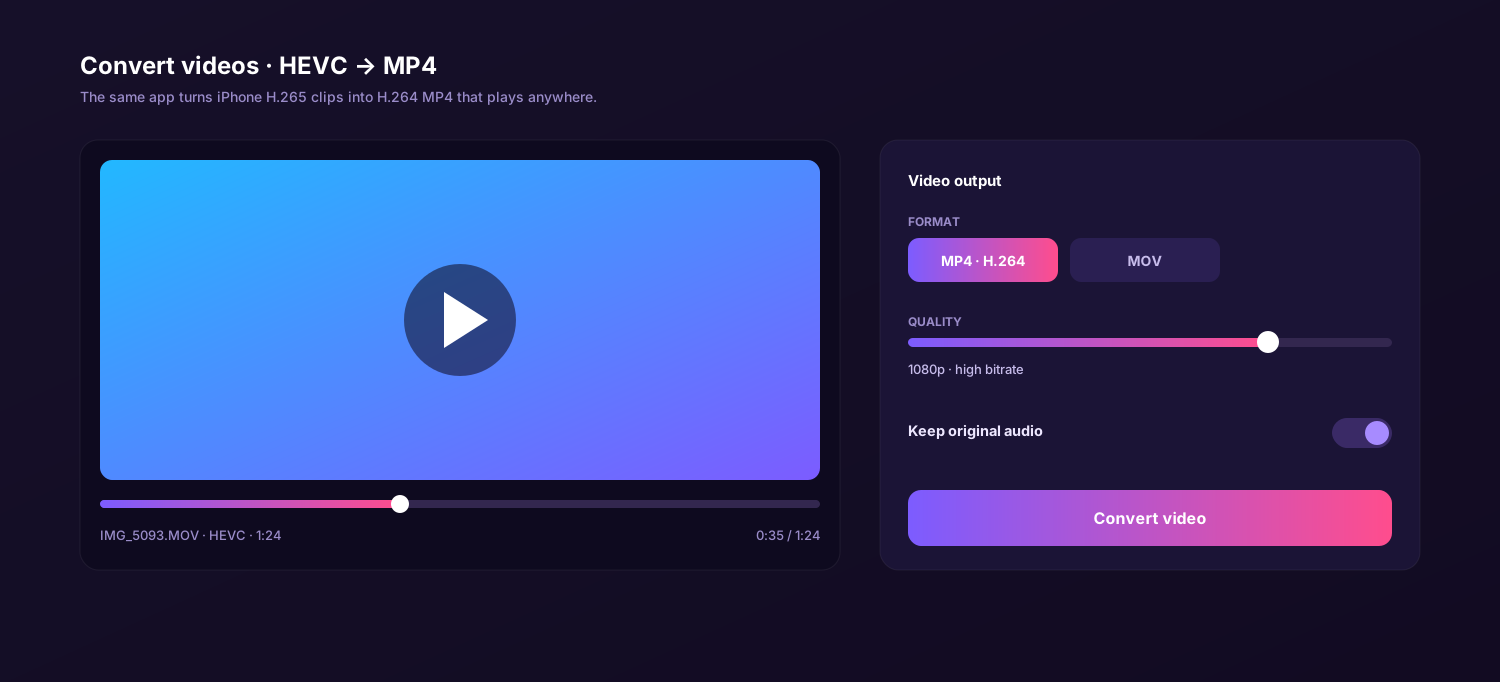
The same app re-wraps iPhone H.265 (HEVC) clips into H.264 MP4 for any editor, projector or web page — original audio and timing untouched.
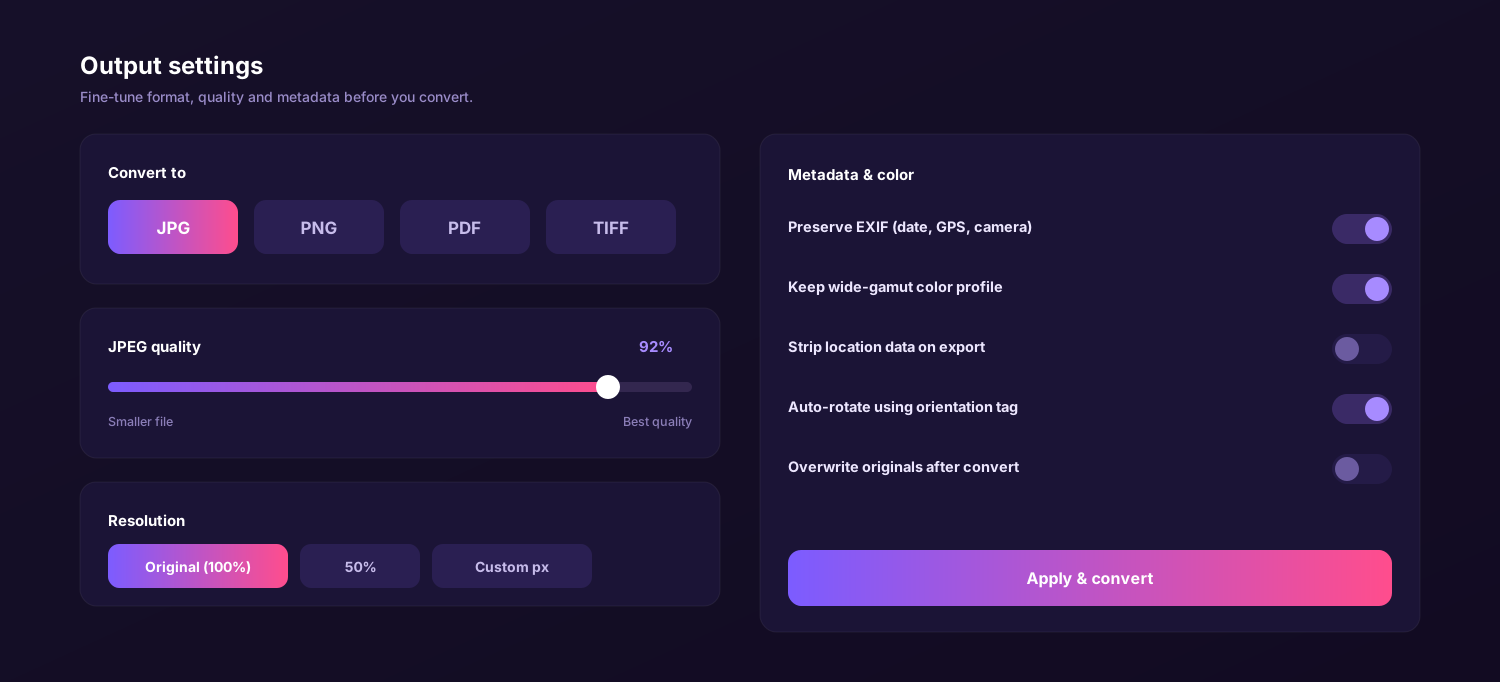
Set JPEG quality up to 100 and resize precisely — full size, a percentage, or exact pixels for delivery.
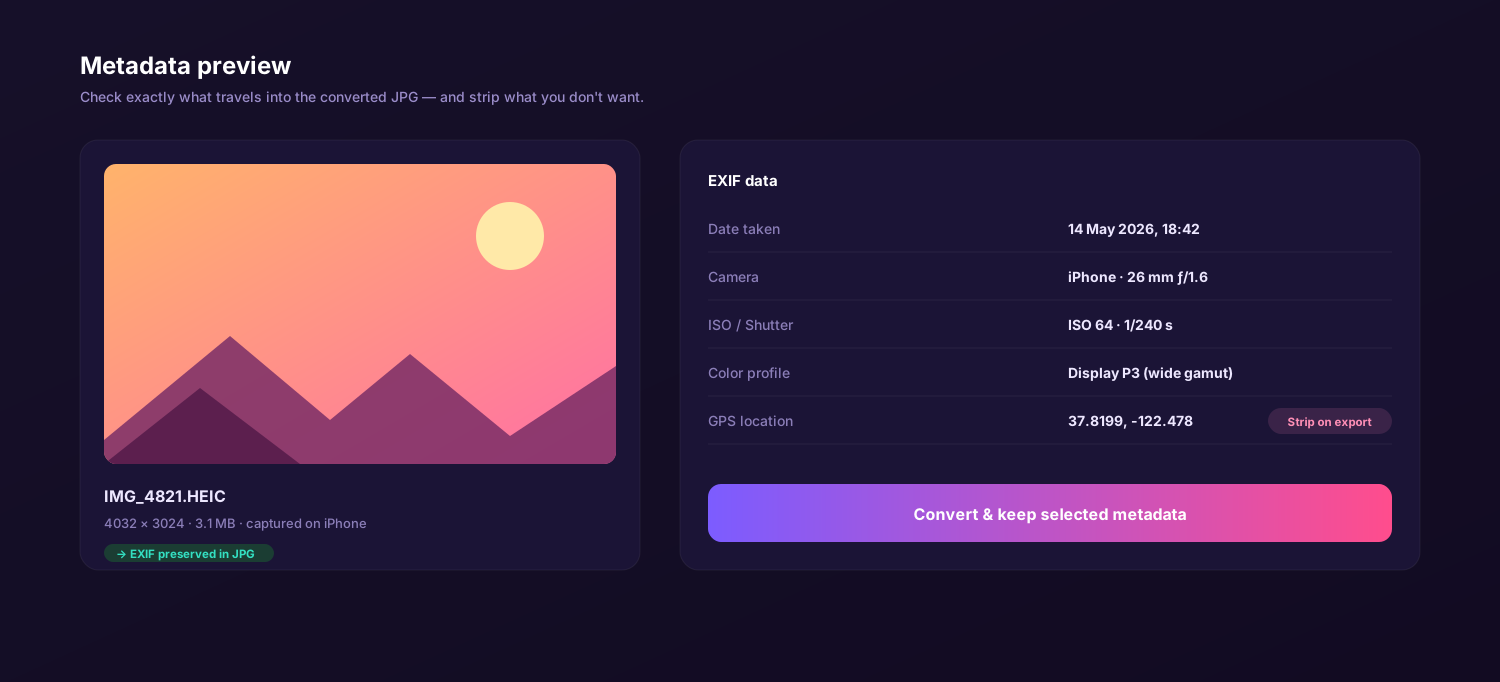
Capture date, camera, lens, exposure and GPS all carry through — or strip selected fields before export.
Drag, set, convert. Move through the tabs to see the queue, batch import, format picker, quality and color settings, the metadata view and video conversion.
Six things that decide whether a converted photo is still good enough to print or deliver.
| Feature | This app | Online converter | Preview / Photos | Email yourself |
|---|---|---|---|---|
| No second recompression | Varies | |||
| Display P3 color preserved | Varies | |||
| Lossless PNG & print PDF | JPG only | JPG/PNG | ||
| Full EXIF retained | Often stripped | Varies | ||
| Originals stay on your machine | ||||
| Price | Free | Free / paid tiers | Free | Free |
↔ swipe to compare all columns
The same free app runs natively on both — pick your platform and export without ever leaving your color pipeline.
On a MacBook, iMac or Mac mini the app opens HEIC straight from Photos or Finder and writes color-faithful JPG, PNG or PDF beside the originals. A universal binary runs natively on Apple Silicon and Intel, with a wide-gamut decode path that matches what you see on a P3 display.
On Windows, iPhone HEIC photos often refuse to open and, when they do, color can shift badly. The app decodes them properly without the paid HEIF extension — convert to lossless PNG, maximum-quality JPG or print PDF, with the original profile mapped to sRGB so screens and prints agree.
I shoot weddings on an iPhone as a B-camera and the skin tones have to match my main bodies. This is the only HEIC converter that keeps Display P3 intact and lets me export lossless PNG straight into my retouching set. Nothing washes out.
The full color-managed version for Mac and Windows. No subscription, no watermark, no export cap. Convert HEIC to lossless PNG, maximum-quality JPG or print-ready PDF — and HEVC video to MP4 — entirely on your own device.
Photographers, retouchers and print shops face the same quiet problem every day: an iPhone or iPad saves its best work as a HEIC file, and most software either refuses to open it or opens it with the color subtly wrong. A heic converter should solve compatibility without paying for it in lost detail. A careful free heic to jpg converter hands back exactly the pixels and color the camera recorded, while a sloppy one quietly recompresses your work.
The app described on this page is a small offline desktop program — a true heic file converter that runs on your own machine rather than a website. It decodes each frame a single time, reads the embedded color profile, and writes a clean copy with no extra round of lossy compression. Because it is a free heic converter you keep, the same color-managed workflow handles one hero shot or a thousand-frame archive without an export cap.
The fidelity promise: PNG output is mathematically lossless, JPEG can be written at maximum quality, and Display P3 wide-gamut color is preserved — this heic to jpg converter free of charge never degrades a frame behind your back.
HEIC (High Efficiency Image Container) packs roughly JPEG-grade quality into about half the size, and on Apple devices it stores rich data: a Display P3 profile, a wider tonal range and full EXIF. A quality-first heic image converter treats all of that as something to protect, not discard. A precise heic to jpeg converter decodes the original cleanly and re-encodes it once at the quality you choose, so the only change is the container — not the look of the picture.
Different jobs need different outputs, and fidelity is the thread through all of them. A heic to png converter is the right call for retouching, because PNG is lossless and edit-ready; JPEG keeps files compact for delivery and the web. Because everything is processed locally, a heic to png converter free of upload limits can run a whole shoot without color-shifting a single frame — and the same app exports PDF, so sharing, archiving and printing all start from one accurate decode.
"I batch-converted a 900-frame product set and pulled them into Photoshop. The color matched my calibrated monitor frame for frame — nothing drifted."
macOS reads HEIC and shows P3 color beautifully, yet the moment a file leaves your MacBook the receiving program may flatten or shift it. That is why a color-managed Mac heic converter to jpg still matters. Here is what to watch when you export on a MacBook, iMac or Mac mini.
Select frames in Photos, Finder or an AirDrop folder and drop them in. As a free heic to jpg converter for Mac, the app reads HEIC natively and previews the embedded profile before you commit.
Display P3 wide-gamut color and the full EXIF record carry into the JPEG, so a converted frame matches your calibrated display. A heic to jpg free converter should never silently clip the gamut or strip your capture data.
Need a deliverable document? The built-in heic to pdf converter lays a selection into one PDF at native resolution — ideal for contact sheets, proofs and lookbooks straight off the camera roll.
Drag, set quality, convert. On macOS the app keeps EXIF and Display P3 color intact while it writes color-faithful copies beside the originals.
Web tools are fine for a throwaway image, but most strip the color profile, re-compress what is already lossy, and cap how many files you can run. Three honest comparisons for anyone whose photos have to stay accurate.
Windows is where HEIC causes the most damage to quality — double-click an iPhone photo and it often will not open, and the codec shortcuts that do tend to ignore the color profile. This app is the most dependable heic converter to jpg for a PC: install it, drag your files in, and the embedded profile is mapped cleanly to sRGB so the picture looks right everywhere.
Beyond stills, it doubles as a heic converter to pdf, turning a set of frames into one print-ready document at native resolution. As a free heic to pdf converter that never uploads anything, it keeps both your color and your originals on your own PC.
The routine is identical on both platforms and takes about a minute. Once your quality, color and metadata defaults are set, the app remembers them, so every later batch comes out consistent.
Get the free app for macOS or Windows from the Download button on this page — a compact installer with nothing extra attached.
Drop single frames or whole folders into the window. The queue lists each file with its dimensions, color profile and original size.
Pick JPG, PNG or PDF, push JPEG quality as high as you need, choose whether to keep Display P3 or map to sRGB, and decide which EXIF fields to retain.
Click Convert. Color-faithful copies land in your chosen folder in seconds — open, retouch, print or hand them off with confidence.
Set it once. Quality, color profile and metadata choices are saved for the next batch.
When a client is paying for a print, a small color shift or a soft, twice-compressed JPEG is not acceptable. Web converters decide the quality and color space for you. Converting locally puts those decisions back in your hands.
The app decodes the HEIC once and writes your chosen format directly on your Mac or PC. No second compression, no surprise color space, no upload — which makes it the safest free heic to pdf converter and JPG tool for proofs that carry client data. Fidelity is the whole point.
Whether you need a precise heic to jpeg converter free of cost for a single hero frame, or a heic to pdf converter free to assemble a proofing document, doing it locally keeps the color, the detail and the metadata exactly where you set them.
The quality-first way to turn iPhone HEIC photos into lossless PNG, maximum-quality JPG or print-ready PDF on any computer. Free download, no subscription, no watermark — color-managed and fully offline on Mac and Windows.
No. The app decodes each HEIC frame once and writes the output directly, so there is no second round of lossy recompression. PNG output is fully lossless, JPEG can be exported at maximum quality, and you keep the original pixels and color profile intact.
Yes, it is a free heic converter with no trial limit, no watermark and no export cap. Every feature, including PDF export, color-profile control and HEVC video conversion, is part of the free download for Mac and Windows.
Yes. The converter reads the embedded ICC color profile and carries Display P3 wide-gamut color into the JPEG or PNG, or converts cleanly to sRGB when you ask. Colors look identical to the original instead of washed out or shifted.
Open the app on your MacBook, drag your .heic photos in, choose JPG and set the quality to maximum if you want zero visible loss. Click Convert and the heic to jpg converter writes color-accurate JPEG copies while keeping every EXIF field.
Yes. Capture date, camera and lens model, exposure settings, GPS coordinates and the color profile all transfer into the converted file. You can also strip selected metadata, such as location, before export when you need to.
Yes. As a heic to png converter it makes lossless, transparency-ready copies for retouching, and as a heic to pdf converter it assembles a set of photos into a single print-ready PDF with the original resolution preserved.